OsmAnd 4.5 (Android)

Good news, everybody! Revolutionary changes we made in 4.5 OsmAnd release for Android devices. Go ahead and read all what was added and improved.
Big Spoiler:
- OsmAnd Cloud backup for Favorites, OsmAnd Settings and OSM Notes going free
- New Terrain format and 3D relief
- New Track management menu
- BLE sensors
- Train profile..
- BLE/ANT+ sensors
- Free "OsmAnd Cloud" account (for backup)
- New format for Terrain maps and 3D Relief
- Tracks management menu
- New for Android Auto
- Widget improvements
- Visible in 3D Mode
- Train profile
- Contour lines updates
- External keyboards improvements
- Updates for Voice prompts settings
- Start screen
- Hazardous Materials classes
- Via ferrata for pedestrian routing
- CAI scale for route difficulty classification
- Support of themed icons
- Update of OsmAnd Cloud options
- Accessibility plugin update
- Custom routing files
- Fixed
BLE/ANT+ sensors
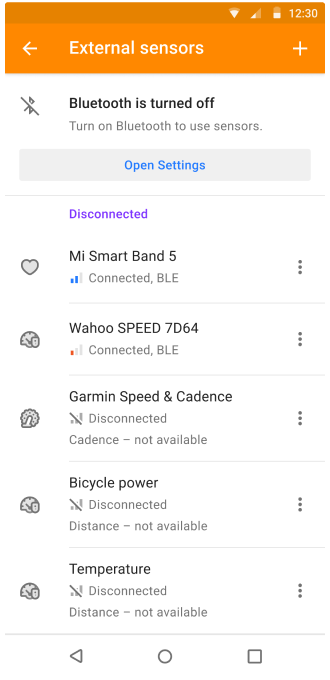
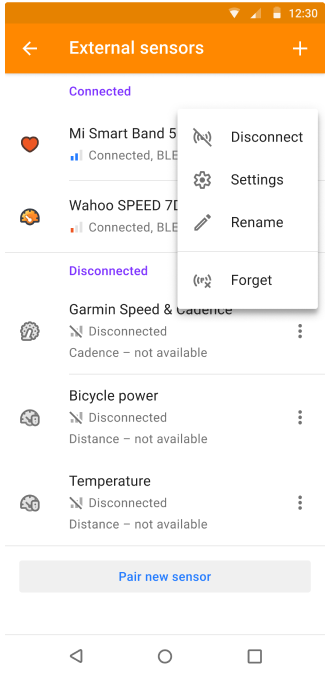
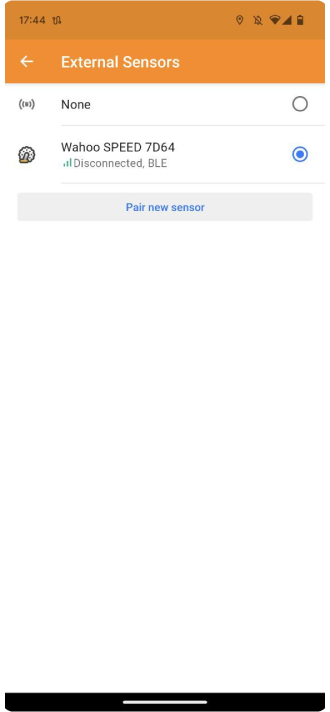
For this release we redesigned External sensor Plugin, added BLE connection for sensors:
- reworked connection screen
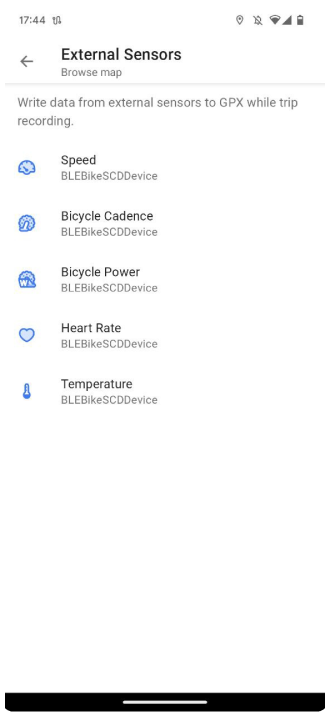
- record and view sensor data in GPX format
Free "OsmAnd Cloud" account (for backup)
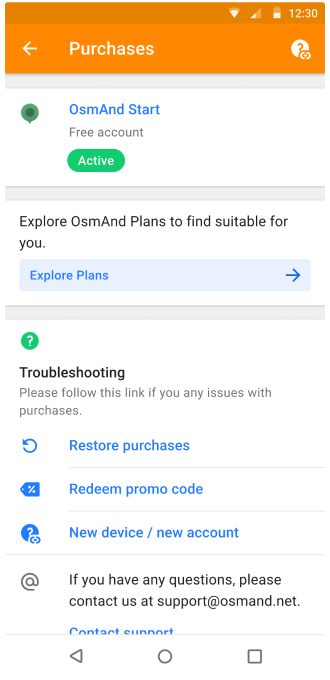
For OsmAnd 4.5 was added OsmAnd Start plan. A user should register an email for the OsmAnd Cloud and then activate OsmAnd Start.
OsmAnd Menu → Settings → OsmAnd Cloud
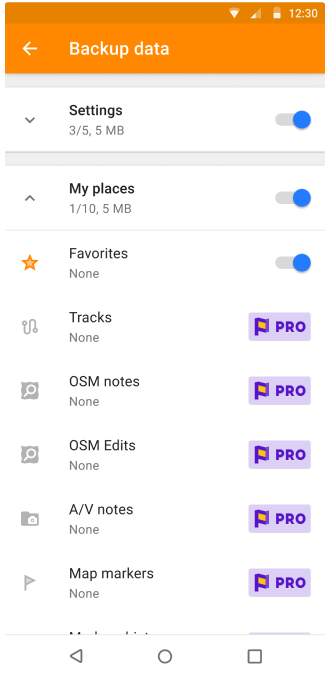
After that, you can backup your favorites, OSM Edits and Notes, and OsmAnd settings for free.
Terrain maps updates
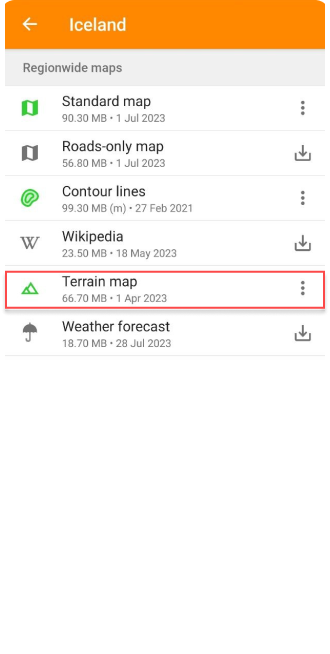
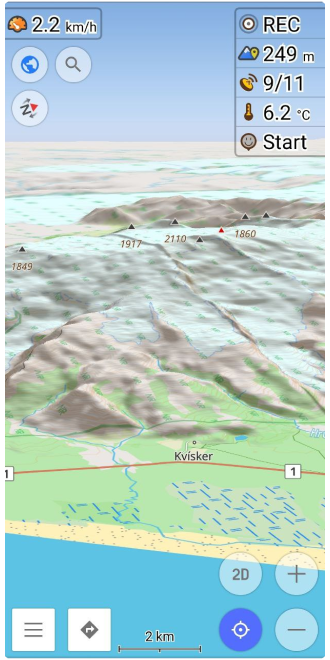
We have added Terrain map for countries in Download maps menu. This data type can be used to generate Slopes, Hillshades (paid), and 3D maps (OsmAnd Pro).
OsmAnd menu → Download maps
Our updates:
- Slope and Hillshades can be generated from Terrain map data
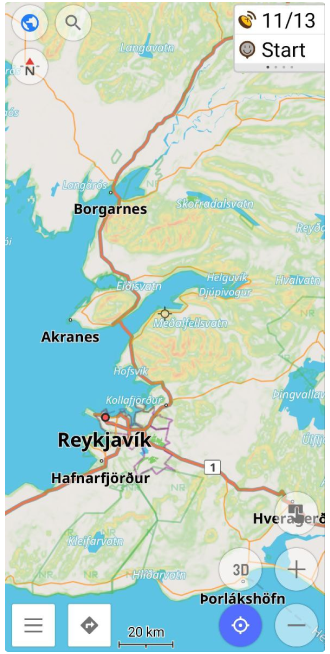
- Redesigned Terrain menu:
OsmAnd menu → Configure map → Terrain
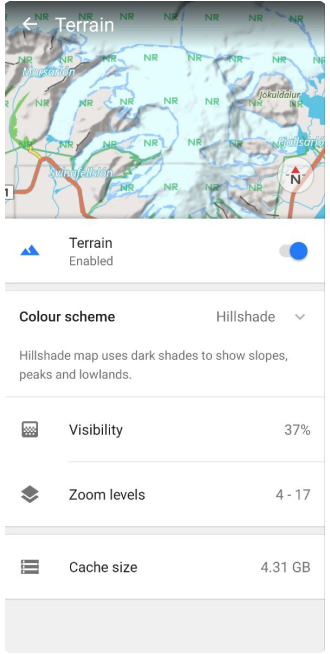
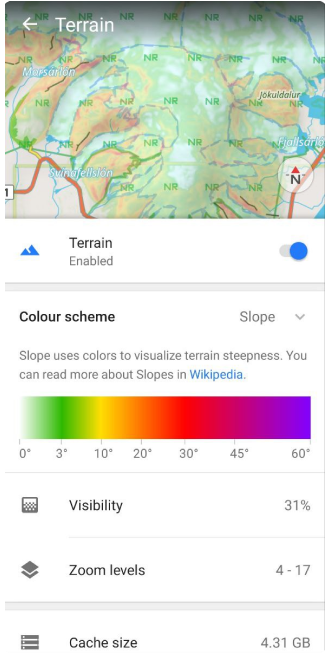
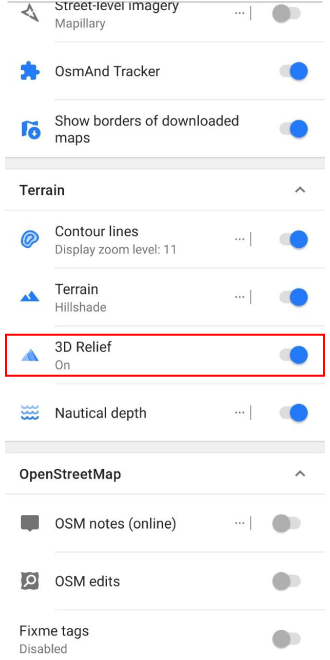
- Added "3D Relief" button (OsmAnd Pro) for Terrain menu. It allows you to activate 3D view for relief (offline).
OsmAnd menu → Configure map → Terrain → 3D Relief
Track management
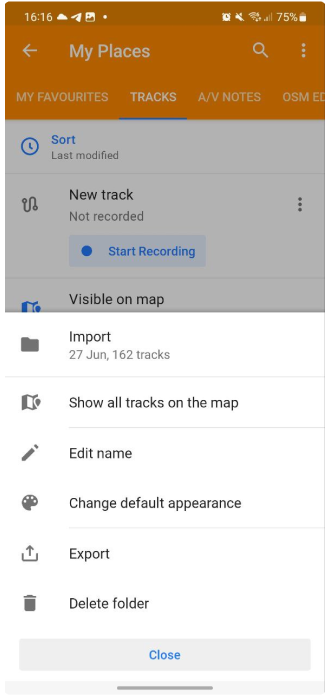
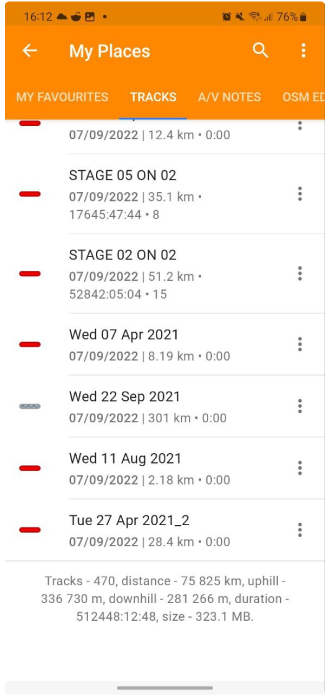
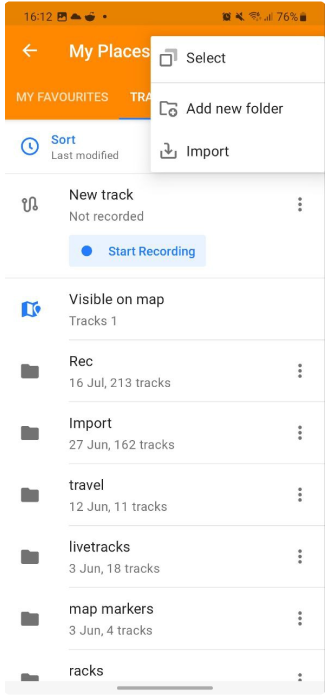
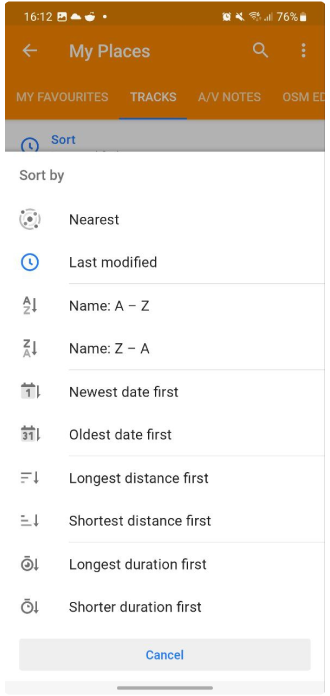
My Places > Tracks menu has been re-organized:
- Added sorting.
- Added filters:
- With the ability to save the filter.
- Added folder options:
- Now you can share the tracks folder with selected tracks.
- You can also delete selected tracks folder.
- Added all tracks stat.
Android Auto improvements
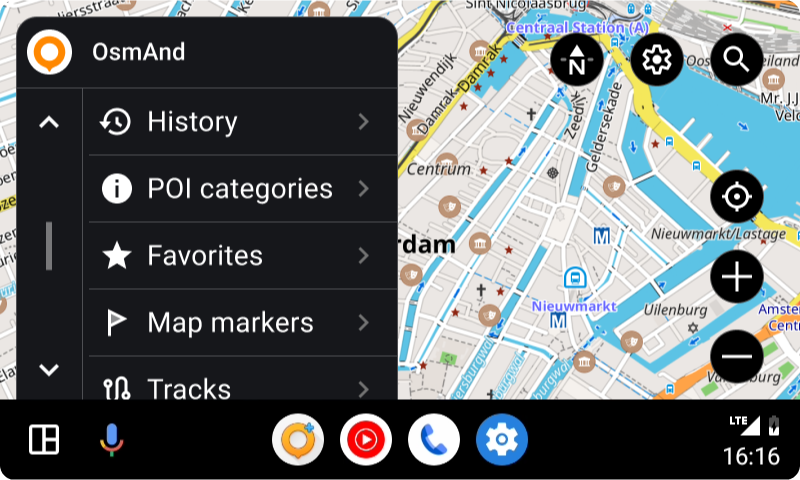
- New start menu for accessing Favorites, POIs, Map markers, Tracks, and History categories.
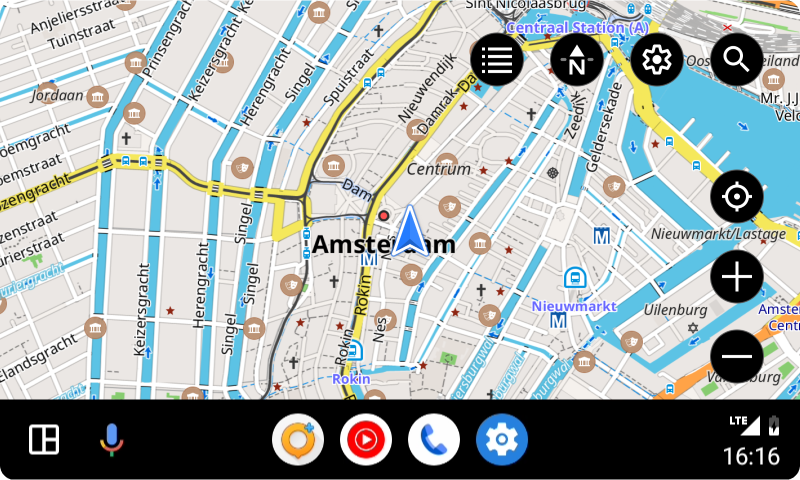
- Driving profile:
- If the current profile is "Driving" (derived from Driving - Truck, Car, Motorcycle...), then AA keeps selected profile.
- If the current profile is not "Driving", it is automatically changed to Driving.
- Fixed laggy location.
- Added button to hide Screen menu.
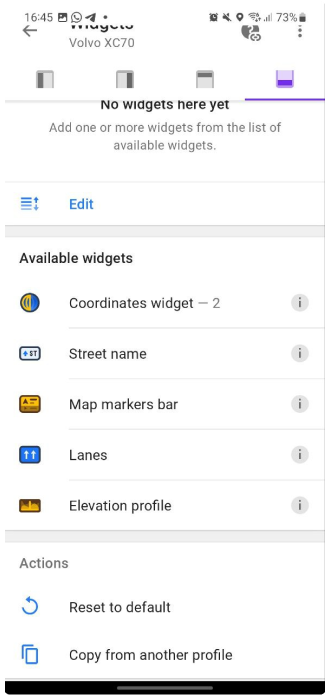
Widget improvements
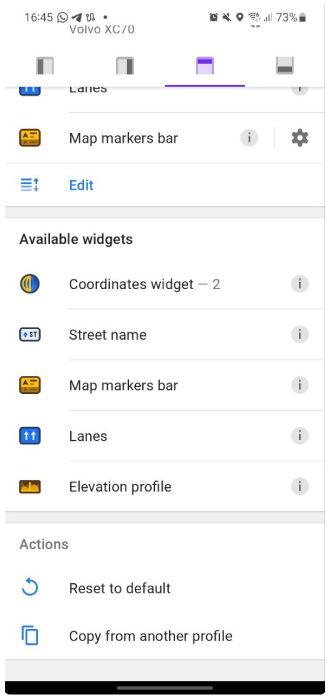
We added the list of widgets for the Top/Bottom panels:
OsmAnd menu → Configure screen → Top panel / Bottom panel
2D/3D button
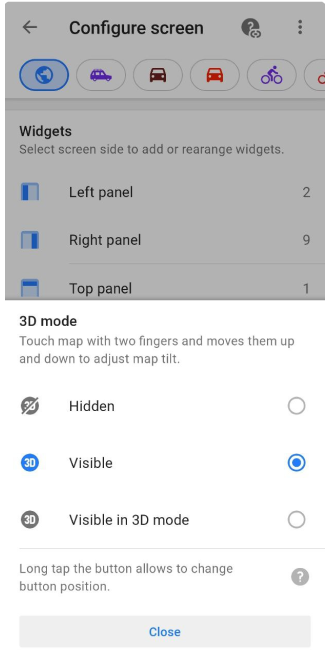
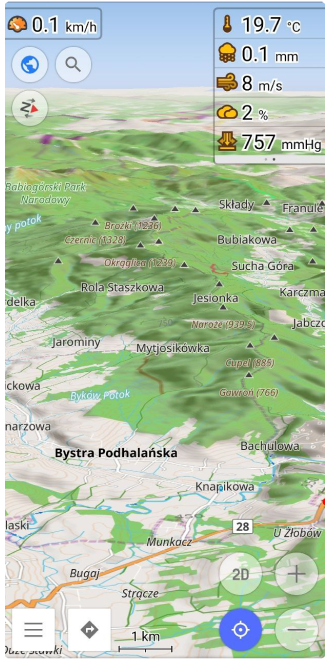
The new "3D/2D Mode" button for the map screen was added. Now you can make a map tilt not only with two fingers. "3D/2D Mode" button acts differently with menus and on map screens if 3D Mode in Configure Screen is set to Visible in 3D Mode.
OsmANd Menu → Configure Screen → Buttons → 3D Mode:
- Hidden
- Visible
- VIsible in 3D mode
** map tilt angle by button is the last tilt angle by two-finger gestures
Train profile
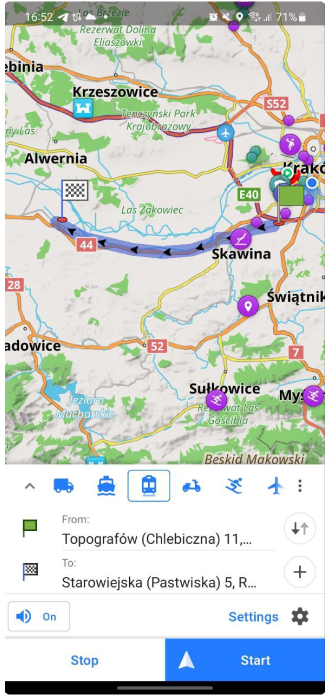
Train profile was added to Profile list. The new profile allows the calculation of railway routes.
** Disabled by default: OsmAnd Menu → Settings → App profiles
Contour lines for Map sources
"Contour lines" function works with any "Map source":
OsmAnd menu → Configure map → Map source...
Now, you can see contour lines with raster maps (Map sources):
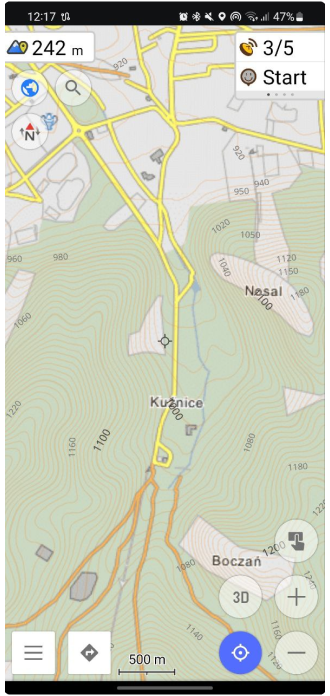
More actions for external keyboards
Added the expanded list of default actions for external keyboards.
Announce deviation from the route
Added option to disable / enable "Announce deviation from the route" for Voice prompts settings:
OsmAnd menu → Configure profile → Navigation settings → Voice prompts → Other → Announce deviation from the route
** Enabled by default
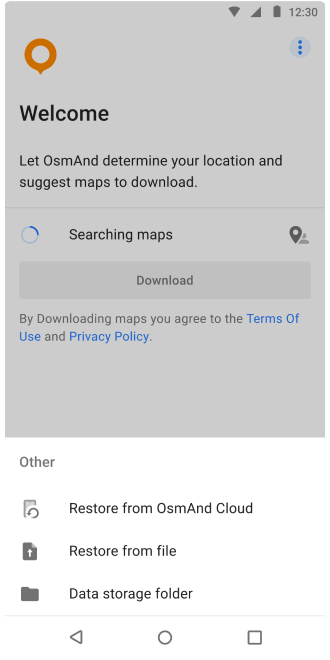
Updated Start screen
Start screen: added option restore OsmAnd state from file.
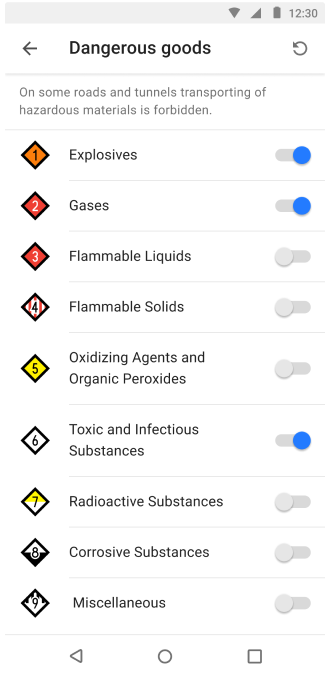
Hazardous Materials classes for North America
Added Hazardous Materials classes for North America:
OsmAnd menu → Configure profile (Truck) → Navigation settings → Route parameters → Transporting of hazardous materials
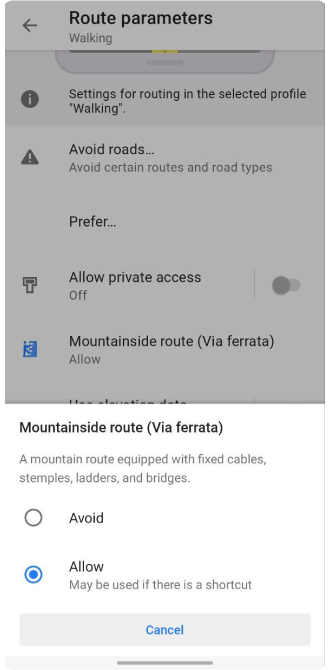
Via ferrata for pedestrian routing
Added support of Via ferrata for pedestrian routing:
OsmAnd menu → Configure profile (Walking) → Navigation settings → Route parameters → Mountainside route (Via ferrata)
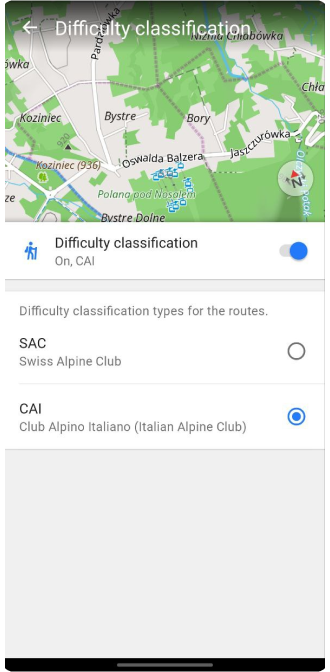
CAI scale
Added CAI (Club Alpino Italiano) scale for routes difficulty classification:
OsmAnd menu → Configure map → Routes → Difficulty classification
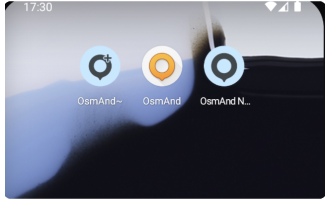
Support themed icons for Android 13
We support themed (adaptive) icons for Android 13.
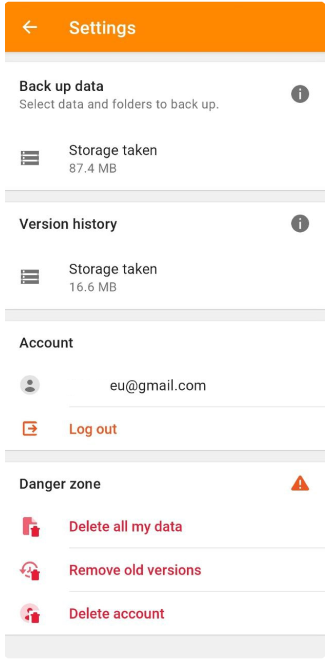
Option Delete Cloud account
We added the ability to delete an OsmAnd Cloud account:
OsmAnd Menu → Settings → OsmAnd Cloud → → Delete account
Accessibility updates
Accessibility: touch target size for all buttons changed to 48 dp fixed issue with map UI that was visible for screen readers.
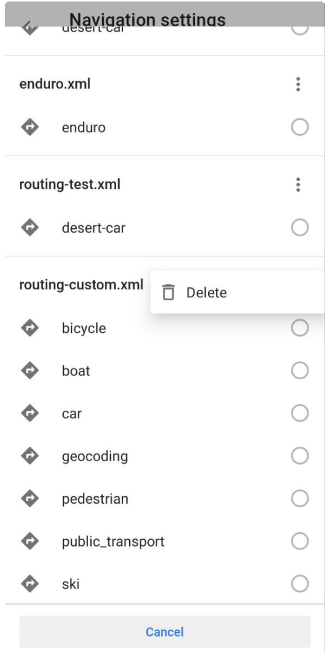
Custom routing files option
Custom routing: added options to delete or overwrite routing files.
OsmAnd menu → Configure profile → Navigation settings → Navigation type → ⋮ (routing_custom.xml) → Delete
Fixed
- Per-app language selection (Android 13).
- Include Bearing/Heading data for Trip recording on OsmAnd development plugin settings.
- Bugs.
Follow OsmAnd on Facebook, TikTok, X (Twitter), Reddit, and Instagram!
Join us at our groups of Telegram (OsmAnd News channel), (EN), (IT), (FR), (DE), (UA), (ES), (BR-PT), (PL), (AR), (TR).

